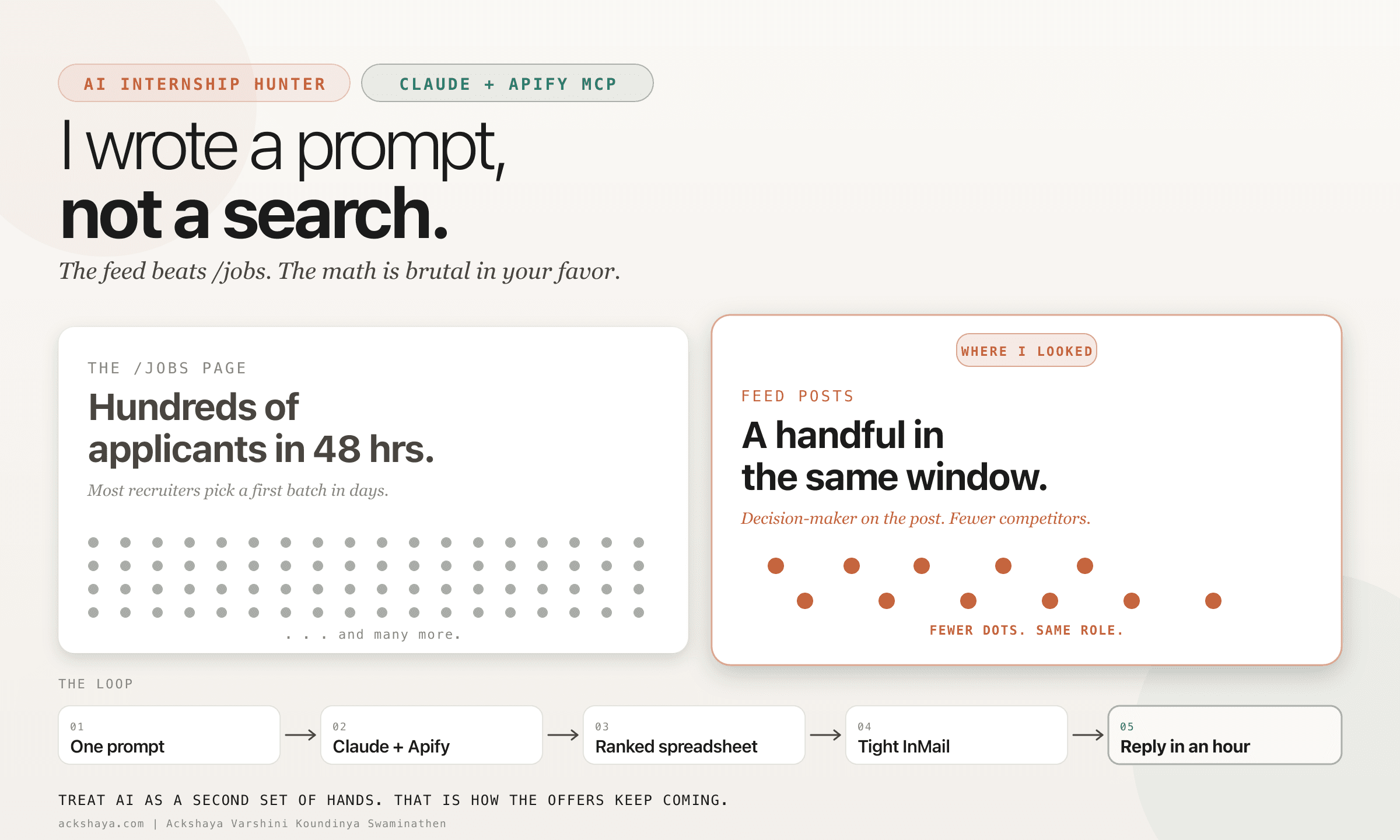
One Prompt, No Scroll
I did not scroll LinkedIn once to find my summer internship. I wrote one prompt in Claude, connected Apify MCP, and let it do the looking. The output landed me a Mechanical Engineering Intern role at Antora Energy.
I am a solo grad-student founder. My job-hunting hours have to earn their keep. Scrolling does not. A prompt does. Once the ranked spreadsheet was open, I tailored my resume with a resume-tailor skill I had written months ago, sent one InMail, and was on a call within hours.
Why Feed Posts Beat the /jobs Page
A popular /jobs internship typically attracts hundreds of applicants in the first 48 hours. The first review batch usually closes within a few days. By the time most people scroll past it, the role is functionally filled.
A feed post from a hiring manager pulls a much smaller pool in the same window. Often single digits, occasionally a few dozen. Same role, same company, very different math at the top of the inbox.
The structural reason: feed posts are almost always written by the decision maker, not a talent-acquisition inbox. The poster is the person who runs the team, picks the candidate, and reads the InMail themselves. The hidden job market is not hidden. It is on the feed, just not in the place most candidates are searching.
Wire Up Apify MCP in Claude
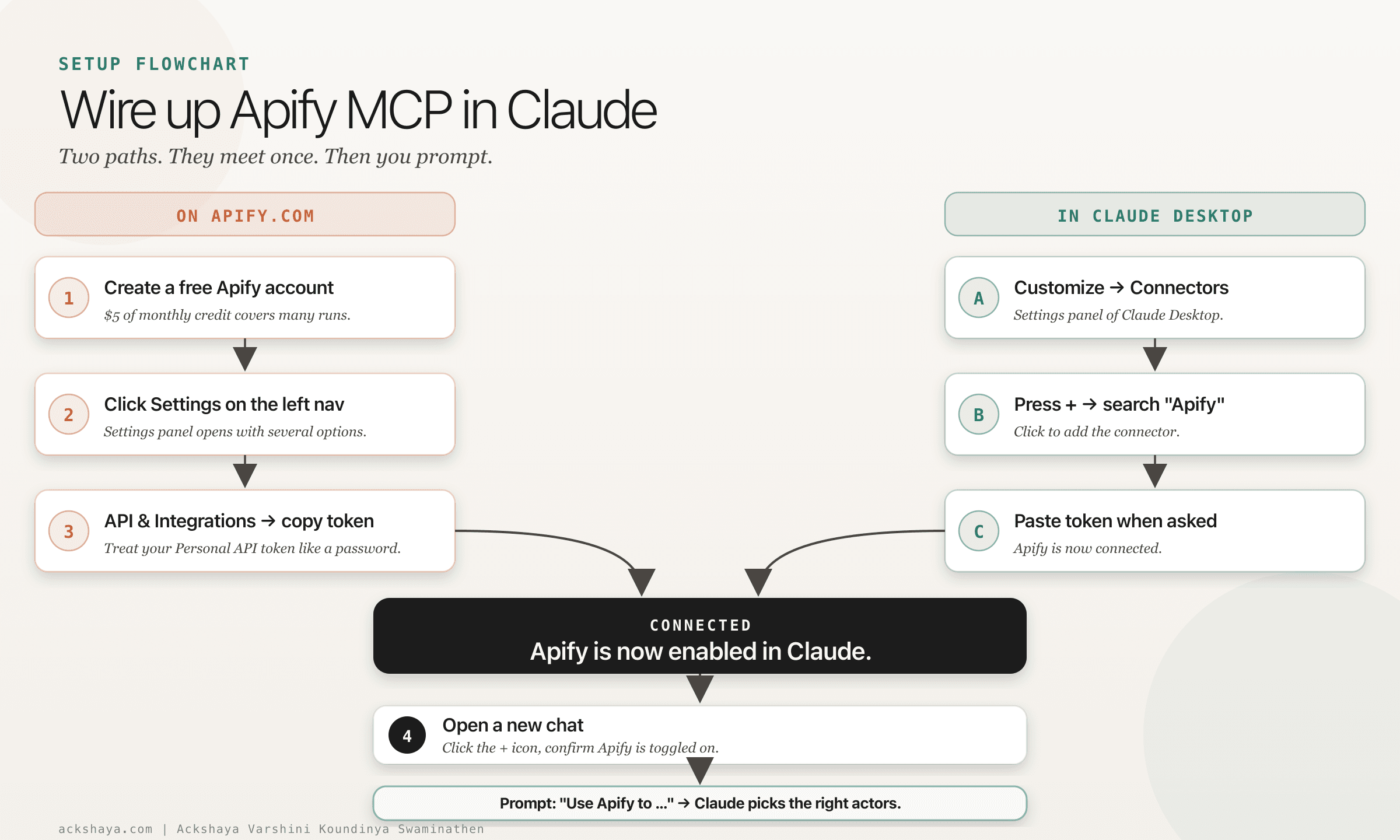
The prompt only works once Apify is connected to Claude as an MCP connector. The setup is two short paths that meet in the middle. Five minutes once, and you never touch it again.
Step by step
- 1.Go to apify.com and create a free account. Apify gives every account $5 of monthly platform credit. A run of this kind of feed search costs cents, so the credit covers many runs.
- 2.In the Apify dashboard, click Settings on the left navigation bar. The Settings panel opens with several options.
- 3.Inside that panel, choose API & Integrations. You should now see your Personal API tokens. Copy yours. Treat it like a password.
- 4.Open Claude Desktop. Click Customize in the settings, then go to Connectors.
- 5.Press the + icon, search for “Apify”, and click to add the connector.
- 6.Claude will ask for an API key. Paste the token from step 3. Apify is now enabled.
- 7.Open a new chat. Click the + icon in the chat input, open the Connectors menu, and confirm Apify is toggled on for this conversation.
- 8.Write your prompt with “Use Apify to ...” at the start. Claude picks the best actors inside Apify automatically. You do not need to name actors yourself.
Once it is wired up, the same connector handles every future prompt. You never have to redo the setup unless you switch machines or revoke the token.
The Prompt
Three rules, one ranking order, one output schema. The original prompt I used was conversational and ran across three turns; this is the cleaned one-shot version that returns the same kind of ranked spreadsheet.
Use Apify to scrape LinkedIn FEED posts (not the /jobs page) from the last 7 days
where a hiring manager or engineering lead is posting that they are hiring an intern.

Field: mechanical engineering, manufacturing, mechanical design, robotics, or any
mechanical-concepts adjacent role.

Region: US only. Exclude Canada and everywhere else.

Signal I want: an actual person on the feed saying "we are hiring", "our team is
looking for", "DM me", or similar. Not an HR-pipeline /jobs listing. Not a recruiter
account.

Rank by, in order:
  1. Recency (newer first)
  2. Low like count (fewer applicants competing)
  3. Whether the poster is the decision maker (hiring manager / engineering lead /
     founder) vs a recruiter

Output: a ranked spreadsheet (xlsx) with columns:
  Role | Location | Field | Posted | Likes | Apply-Method | Poster-Role | Post-URL

Cap at 20 results. Skip any post older than 7 days.
Paste it into Claude, attach the Apify MCP server, and let it run. Swap the field words to match your own.
Related Resources
The 3 AI Agent Frameworks I Tested
LangGraph vs CrewAI vs Claude Agent SDK on the same eval set.
Resource PostAI Agents for Mechanical Engineers
340+ tools filtered for mech engineers: agent frameworks, browser automation, local AI, and MCP connectors.
Resource PostF-1 to Founder: The 36-Month Playbook
OPT, STEM OPT, and the founder path for international students.
Follow on LinkedIn for more builder logs from the solo-founder + AI side
Follow on LinkedInMore resources coming soon
← Back to all resources