Why This Matters for Mechanical Engineers
Most AI agent resources are written for software engineers. That makes sense. The tools are built by developers, for developers. But the underlying capabilities (orchestrating multi-step workflows, automating repetitive browser tasks, running models locally, connecting AI to existing tools) are exactly what mechanical engineers need.
I've been building AI-powered engineering tools for the past year. One automates CFD pipelines. Another simulates hydraulic networks. Both use agent patterns I learned by studying repos like this one.
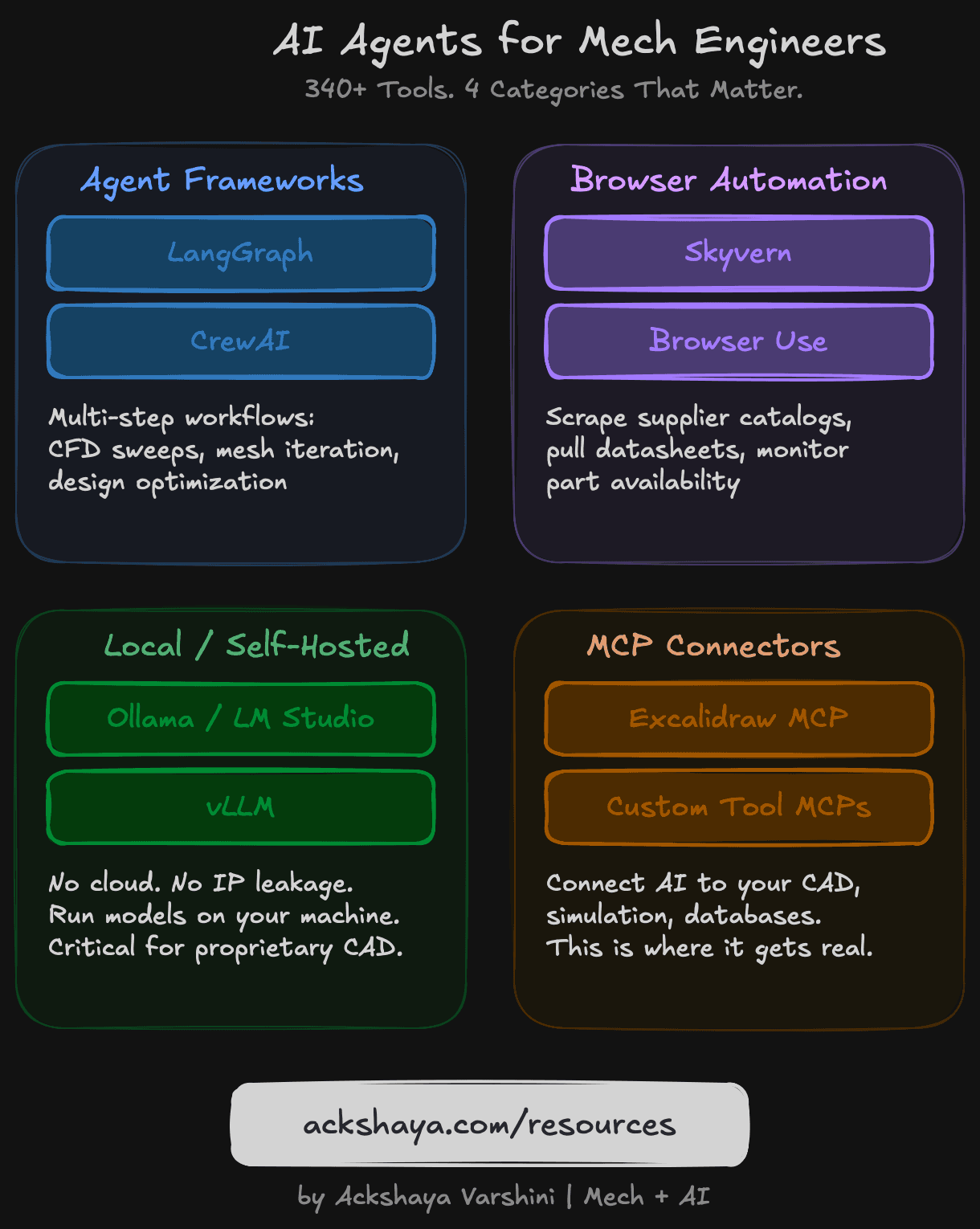
The problem is that nobody is filtering these tools through an engineering lens. So I did it. Out of 340+ resources in the awesome-ai-agents-2026 repo, here are the 4 categories that actually matter for us.
1. Agent Frameworks: Orchestrating Engineering Workflows
Agent frameworks let you chain multiple AI steps into a single workflow. Instead of manually running a simulation, checking results, tweaking parameters, and running again, an agent framework can do the loop for you.
The two standouts:
Built by the LangChain team. Best for workflows with branching logic and state management. I use it in one of my CFD projects to iterate on mesh quality until convergence criteria are met.
Multi-agent orchestration. You can set up specialized agents (one for geometry, one for meshing, one for solving) and have them collaborate. The documentation is excellent for getting started.
For mechanical engineers, think of these as the backbone for: automated CFD parameter sweeps, design-of-experiments automation, iterative FEA convergence, and multi-physics co-simulation orchestration.
2. Browser Automation: Your Data Collection Sidekick
Half of engineering work is finding the right data. Material properties. Supplier catalogs. Competitor specs. Compliance documents. Browser automation agents can do this for you.
AI-powered browser automation that can navigate complex websites. I've tested it for scraping material datasheets from supplier sites.
Open-source, surprisingly capable. Good for monitoring part availability across distributors or pulling specs from manufacturer sites.
The key insight: these aren't just web scrapers. They use AI to understand page layouts and navigate dynamically. They can fill forms, click through multi-step processes, and extract structured data from unstructured pages.
All Resource Links
awesome-ai-agents-2026
Main RepoLangGraph
Agent FrameworkCrewAI
Agent FrameworkSkyvern
Browser AutomationBrowser Use
Browser AutomationOllama
Local AIvLLM
Local AIExcalidraw MCP
MCP ConnectorFollow me on LinkedIn for weekly Mech+AI resources
Follow on LinkedInMore resources coming soon
← Back to all resources